A Sampler Forge floppy disk

Sampler
Forge

Your hardware sampler, evolved.

A modern solution to organizing, editing & controlling your Hardware Samplers.

Status
Coming soon
Price
£50£70beta price, VST included
Runs on
Mac, Intel or Apple Silicon

Which samplers it works with

  • Tested done on real machines

    Akai S1000 · S3000XL

  • Supported built and tested in software

    Akai S900 · S950 · S1100 · S2000 · S2800 · S3000 · S3200 · S3200XL · CD3000 · CD3000XL

  • Imports loads into Sampler Forge

    Akai S900 · S950 · S1000 · S1100 · S3000 · S5000 · S6000

    E-mu E4 · E5000 · EOS · EIII · ESI · EMAX · Emulator I

  • Exports ready for your DAW

    Ableton Live · Logic · Bitwig · Renoise · SFZ · WAV

Four ways to use Sampler Forge with your hardware

SD card

For a ZuluSCSI or BlueSCSI

Format a fresh SD and edit Akai volumes & partitions directly on the card.
Floppy

DD and HD disks

Format and edit real floppy disks via a Greaseweazle and compatible disk drive.

GoTek

For FlashFloppy and HxC

Edit GoTek style USB sticks.

MIDI, live

Two cables, the machine switched on

Edit parameters in the sampler's RAM over MIDI. The Zulu Blaster mode brings your sampler into the future with live reading & writing of samples into the sampler's RAM.
For a ZuluSCSI or BlueSCSI

Format a fresh SD and edit Akai volumes & partitions directly on the card.

Three tabs to edit, organise and control your hardware samplers

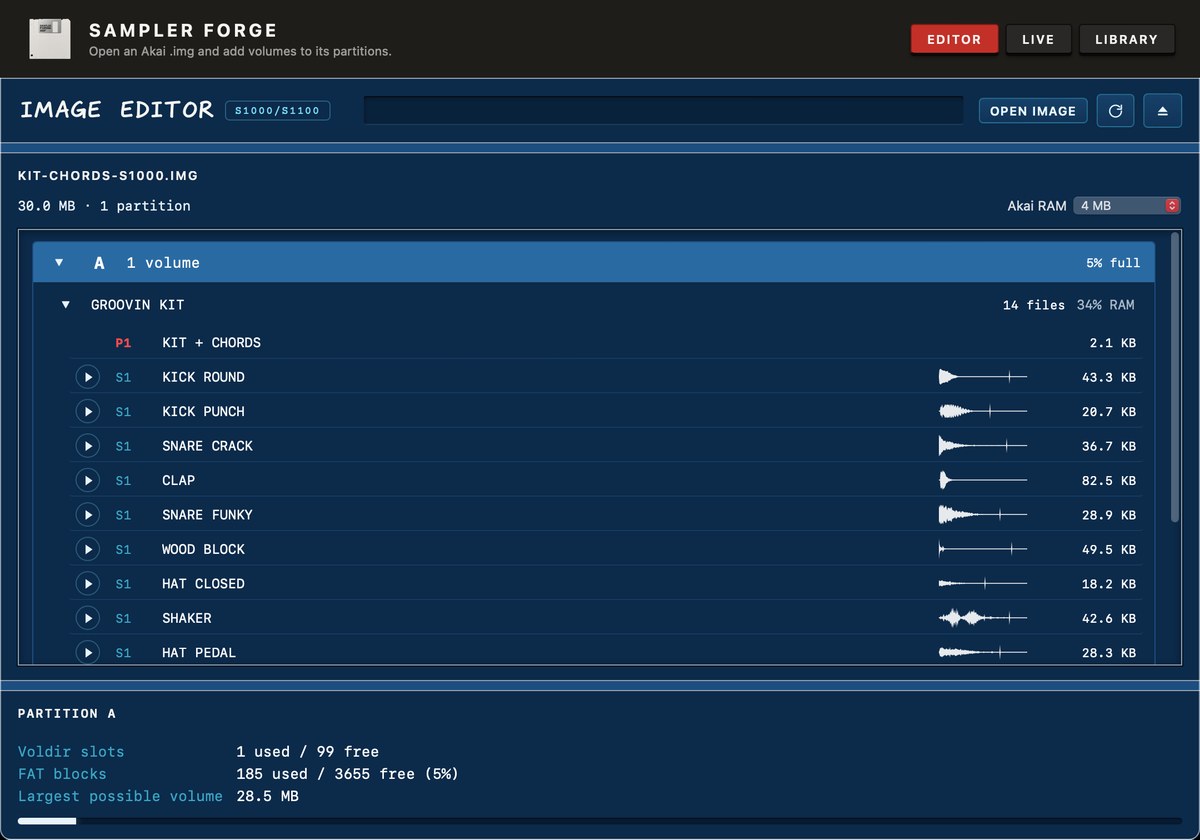
Sampler Forge editor screen

EDITOR

Open an SD card, a floppy or a GoTek stick and edit the partitions, volumes, programs and samples. Drag a folder of WAVs onto a partition and they're quickly converted into Akai format.
  • Organising - rename, create & delete programs & samples.
  • Program editor - tuning, filter, resonance, envelopes, pan & loudness.
  • Sample editor - renaming, duplicating, replacing, slicing & looping.
  • Key zones editor - key ranges & up to four velocity zones per keygroup.
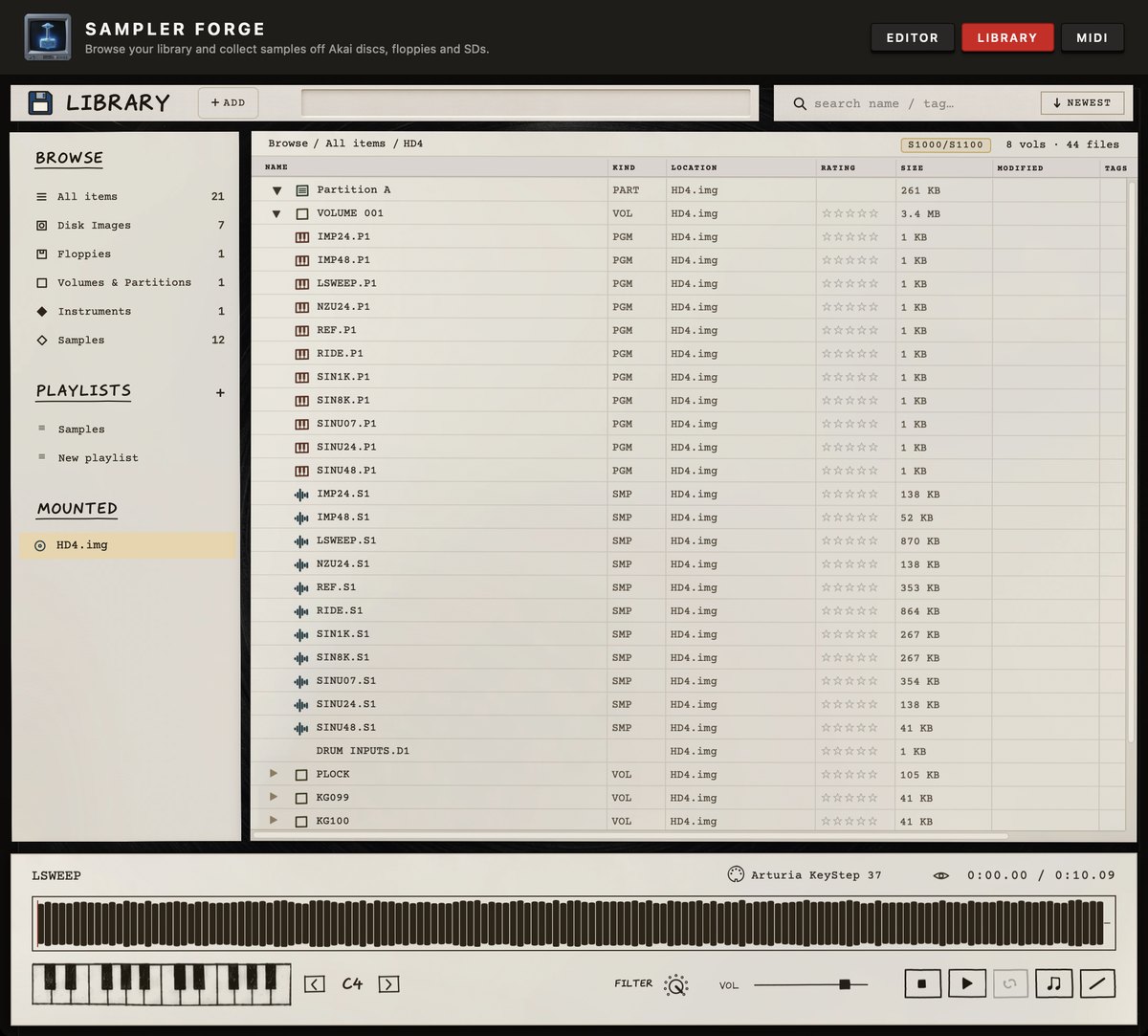
Sampler Forge library screen

LIBRARY

Explore compatible disc images in one library on your Mac & export them to the DAW of your choice.
  • Explore any Akai drive, partition or volume, right down to the programs & samples. E-mu banks open too.
  • Organise everything into playlists.
  • Emulation of the Akai S1000's pitching algorithm & filter so you hear a sample the way the machine would play it.
  • Audition from the playable keyboard or your selected MIDI device.
  • Export anything to SFZ, Ableton, Logic, Bitwig, Renoise or WAV and import instruments back into Sampler Forge from them.
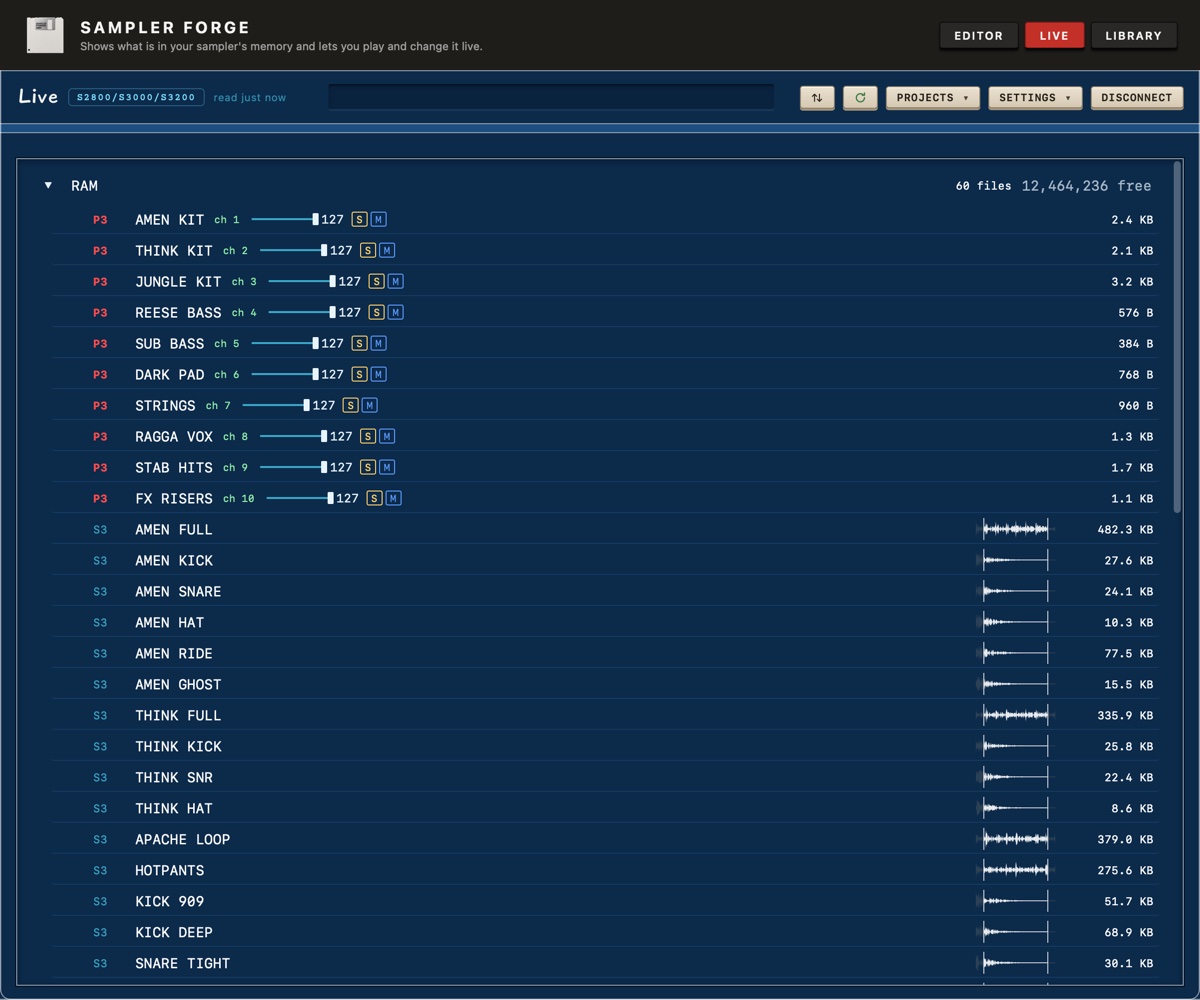
Sampler Forge live screen

LIVE

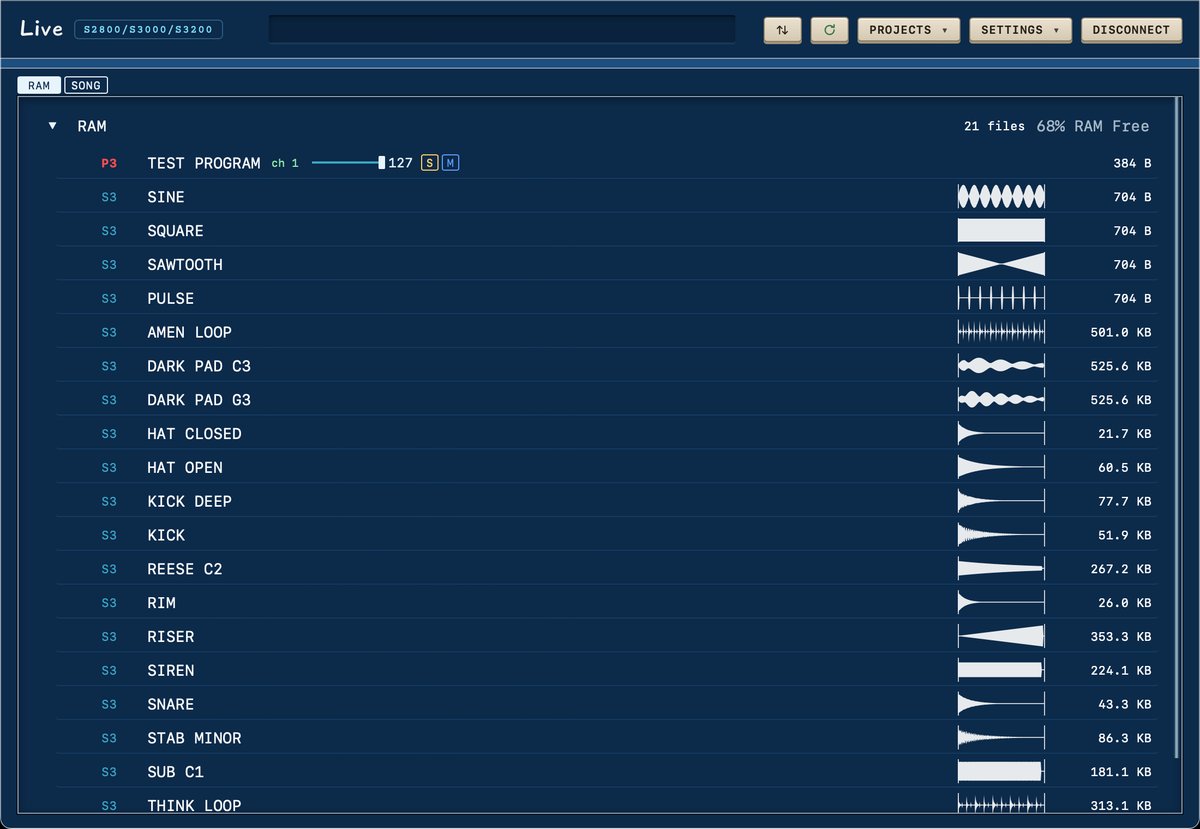
Connect your supported model via MIDI cables or a Zulu Blaster. The Live tab reads what's currently in the sampler's RAM.
Over MIDI

  • Link your sampler's MIDI in & out to your connected MIDI interface.
  • Edit the keygroups & essential parameters like tuning, level & filter.
  • Rename & delete programs and samples.
  • No sample transfers. Standard MIDI is incredibly slow & takes 77 minutes to transfer 1 MB of data.

With the Zulu Blaster

  • The Blaster with our custom firmware connects to the sampler's rear SCSI port & plugs into your Mac via USB.
  • Samples load straight into RAM at around 570 KB/s, so a megabyte takes under two seconds.
  • Edit keygroups & parameters directly over the Blaster, with no need for extra MIDI cables.
  • Save your projects from the hardware sampler back to the computer & load them straight into RAM at the beginning of the next session.
Sampler Forge editor screen

Open an SD card, a floppy or a GoTek stick and edit the partitions, volumes, programs and samples. Drag a folder of WAVs onto a partition and they're quickly converted into Akai format.

What you can do in Editor 4
  • Organising - rename, create & delete programs & samples.
  • Program editor - tuning, filter, resonance, envelopes, pan & loudness.
  • Sample editor - renaming, duplicating, replacing, slicing & looping.
  • Key zones editor - key ranges & up to four velocity zones per keygroup.
Sampler Forge VST window

Sampler Forge VST

The Sampler Forge VST is essentially the Live tab built to work with your DAW's sequencing & playback. Play up to 16 MIDI channels straight into your Akai with live macro control of pitch, loudness, filter & vibrato.

  • Needs a Zulu Blaster in your sampler's rear SCSI port for the ultimate connection (Sampler Forge installs its custom firmware for you)
  • Works over plain MIDI cables too, just nowhere near as well: notes & macros, but no sample loading
  • Mac only (VST3, AU & CLAP)
  • Drop a selection of WAVs in & watch as they load directly into the RAM as samples
  • Edit all the essential parameters live in your sampler's RAM: programs, keygroups, samples & renaming
  • Song mode, to see your performance play out live
  • Comes with Sampler Forge, same licence key & installer

Get in touch

Everything here is made by one person, so it is me who answers.

groovingbiz@outlook.com

Or come and say hello where the work happens: